Millions of Americans juggle endless emails, back-to-back meetings, side hustles, and family obligations—often wishing for more hours in the day. The good news? You don’t need more time; you need better habits. According to recent studies on US work culture, the average professional spends nearly three hours a day distracted by unnecessary interruptions and context-switching. Whether you are navigating a remote-work setup, surviving college midterms, or managing a hybrid 9-to-5, mastering time management techniques is the ultimate key to a sustainable work-life balance.
In this guide, we will explore 10 proven strategies designed to help you improve productivity, beat procrastination, and reclaim your schedule. From the Pomodoro technique to strategic calendar management, these actionable productivity tips will help you prioritize tasks effectively so you can get more done without burning out. Let’s dive into the focus strategies and procrastination solutions that actually work.
1. Time Blocking for Schedule Optimization
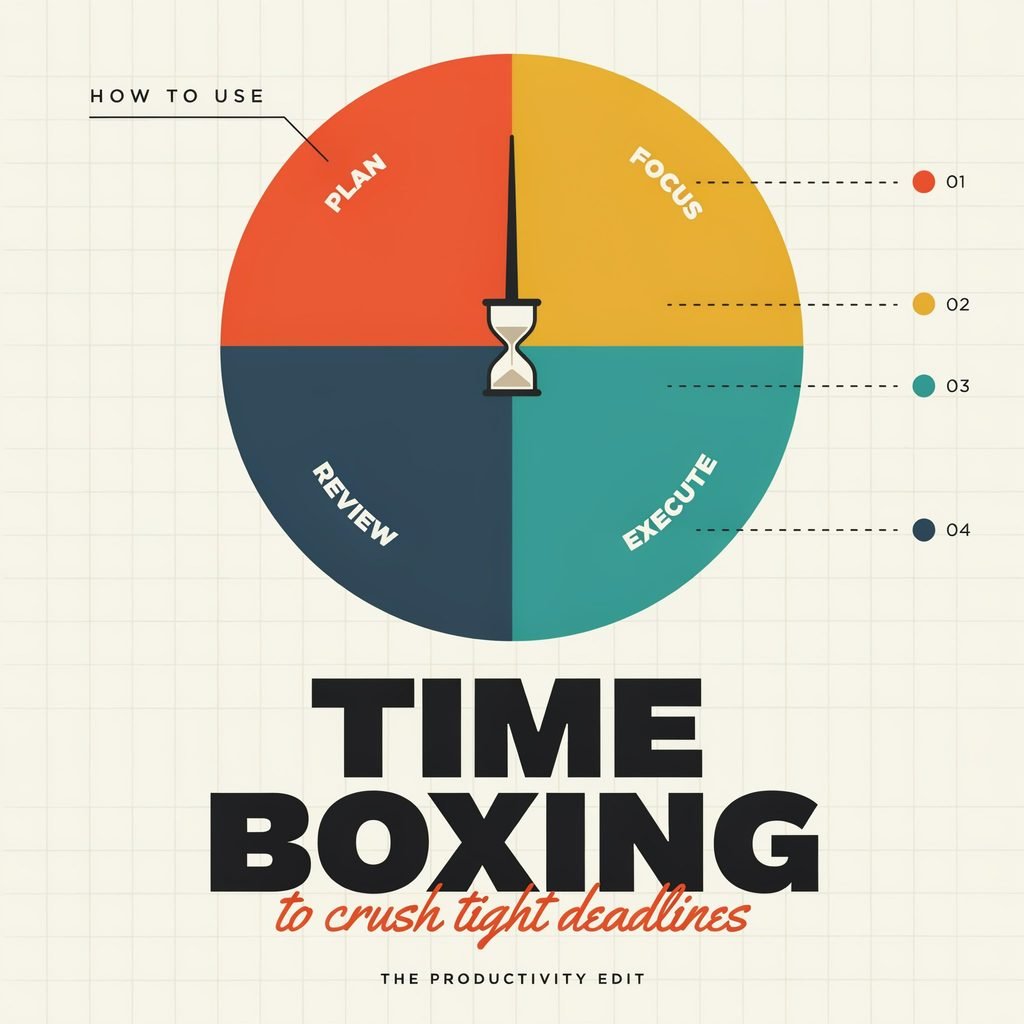
Time blocking is a powerful schedule optimization strategy where you divide your day into dedicated blocks of time, each assigned to a specific task or category of work. Instead of reacting to an overflowing inbox, you proactively dictate how every hour of your day is spent.
Why it works: It forces intentionality and drastically reduces the cognitive load of deciding what to do next. By protecting large chunks of time, you minimize context-switching, which is a massive drain on mental energy.
How to implement:
- Audit your time: Track how long tasks actually take to build realistic blocks.
- Block deep work first: Schedule your most demanding tasks during your peak energy hours.
- Include buffer zones: Leave 15-minute gaps between blocks for transitions or unexpected fires.
- Use a digital daily planner: Color-code your blocks in Google Calendar or Outlook.
Real-life example: A hybrid tech worker in Chicago might block 8:00 AM to 10:00 AM for focused coding at home before their commute, then block 1:00 PM to 3:00 PM for collaborative Zoom meetings when they are in the office.
2. The Pomodoro Technique
Developed by Francesco Cirillo, the Pomodoro technique involves breaking your workday into short, highly focused intervals—typically 25 minutes of work followed by a 5-minute break. After four intervals, you take a longer 15- to 30-minute break.
Why it works: It creates a false sense of urgency that helps you increase focus and push through mental resistance. Knowing a break is just minutes away makes it much easier to beat procrastination on tedious tasks.
How to implement:
- Pick a single task: Choose one item from your to-do list.
- Set a timer: Use a physical kitchen timer or a digital app for 25 minutes.
- Work without interruption: Ignore emails, Slack, and phone notifications until the timer rings.
- Take a real break: Step away from your screen to stretch or grab water.
Real-life example: A college student in Texas studying for midterms can use this method to read dense textbooks. Four “Pomodoros” equal roughly two hours of highly retained studying, preventing the burnout associated with all-nighters.
3. The Eisenhower Matrix (Priority Matrix)
Named after former US President Dwight D. Eisenhower, this priority matrix helps you prioritize tasks by categorizing them into four quadrants based on urgency and importance.
Why it works: It separates true emergencies from mere distractions, preventing you from spending your entire day putting out fires instead of moving the needle on long-term goals.
How to implement:
- Quadrant 1 (Urgent & Important): Do these immediately (e.g., a client crisis or a strict deadline).
- Quadrant 2 (Not Urgent & Important): Schedule these. This is where strategic planning and deep work live.
- Quadrant 3 (Urgent & Not Important): Delegate these if possible (e.g., most emails and minor requests).
- Quadrant 4 (Not Urgent & Not Important): Delete these (e.g., mindless scrolling or busywork).
Real-life example: A project manager in New York sorting through Monday morning chaos can quickly identify that prepping for a Q3 strategy meeting (Quadrant 2) is more valuable than immediately answering a non-critical Slack thread (Quadrant 3).
4. Eat That Frog First
Coined by Brian Tracy and inspired by a Mark Twain quote, “eating the frog” means tackling your hardest, most important, and most dreaded task first thing in the morning.
Why it works: Willpower and mental clarity are highest in the morning. By knocking out your biggest hurdle immediately, you create a massive wave of momentum that makes the rest of your daily routine feel like a breeze. It is one of the best procrastination solutions available.
How to implement:
- Identify your frog: Look at your to-do list and pick the task that will have the highest impact but requires the most effort.
- Do it before checking email: Do not let morning inbox clutter derail your focus.
- Break it down: If the frog is too big, slice it into smaller, manageable steps.
Real-life example: A freelance graphic designer might dread pitching new clients. By making “frog-eating” the very first task at 9:00 AM, they secure new business before creative fatigue sets in later in the afternoon.
5. Batch Processing Similar Tasks
Batch processing involves grouping similar, repetitive tasks together and completing them in a single, dedicated time block rather than scattering them throughout the day.
Why it works: Every time you switch from writing a report to answering an email, your brain experiences “attention residue.” Batching minimizes these transitions, acting as one of the most effective productivity hacks for managing administrative overload.
How to implement:
- Identify repetitive tasks: Look for things like answering emails, paying bills, or posting on social media.
- Assign specific windows: Dedicate two 30-minute windows a day exclusively for email.
- Turn off notifications: Prevent incoming alerts from breaking your batch focus.
Real-life example: Instead of checking their inbox 50 times a day, a remote HR representative checks email at 9:00 AM, 1:00 PM, and 4:30 PM. This allows them to process requests efficiently while leaving the rest of the day open for employee relations and strategic hiring.
6. The Two-Minute Rule
Popularized by David Allen in his Getting Things Done (GTD) methodology, the two-minute rule states that if a task takes less than two minutes to complete, you should do it immediately rather than adding it to your task management list.
Why it works: The time and mental energy required to track, remember, and revisit a tiny task is actually greater than the time it takes to just do it. It keeps your to-do list clean and your mind clear.
How to implement:
- Evaluate quickly: When a new request or thought pops up, estimate the time required.
- Execute or defer: If it’s under two minutes, do it now. If it’s longer, add it to your calendar or task manager.
- Apply to physical spaces: Use it for chores like washing a coffee mug or hanging up a coat.
Real-life example: A busy real estate agent receives a text from a client asking for a quick property link. Instead of flagging it for later, they copy the link, send it, and archive the message in 45 seconds, maintaining their workflow for a major showing.
7. Habit Stacking for Consistency
Introduced by James Clear in Atomic Habits, habit stacking involves pairing a new, desired habit with an existing, well-established habit. The formula is: “After [CURRENT HABIT], I will [NEW HABIT].”
Why it works: It leverages the neurological pathways you have already built, making it much easier to implement new focus strategies or productivity rituals without relying entirely on sheer willpower.
How to implement:
- List your daily anchors: Identify things you do every single day without fail (e.g., brewing coffee, brushing teeth, starting your car).
- Attach a micro-habit: Link a small, 5-minute productivity task to that anchor.
- Keep it simple: Start small to ensure you actually follow through.
Real-life example: A remote marketing manager uses habit stacking by reviewing their daily priorities and top three goals while their morning coffee is brewing. By the time they sit at their desk, their day is already planned.
8. Set SMART Goals and Weekly Planning
Goal setting is only effective when it is specific and structured. The SMART framework ensures your goals are Specific, Measurable, Achievable, Relevant, and Time-bound. Pairing this with a weekly planning session bridges the gap between high-level ambitions and daily actions.
Why it works: It provides a clear roadmap for your week, ensuring that your daily tasks actually align with your broader career or personal objectives, rather than just keeping you busy.
How to implement:
- Define SMART goals: Instead of “grow the business,” use “acquire three new local clients by the end of Q2.”
- Schedule a Sunday review: Spend 30 minutes on Sunday evening mapping out the week ahead.
- Assign daily targets: Break your weekly goals down into actionable daily steps.
Real-life example: A small business owner uses Sunday evenings to plan their week. They look at their SMART goal of launching a new product and block out Tuesday morning for website updates and Thursday afternoon for marketing copy.
9. Limit Multitasking and Build Deep Work Periods
Despite its popularity, multitasking is a myth; the human brain actually rapid-switches between tasks, which lowers IQ and kills efficiency. Instead, embrace “deep work”—a concept by Cal Newport that involves working in a state of distraction-free concentration.
Why it works: Deep work pushes your cognitive capabilities to their limit, allowing you to master complex information and produce high-quality output in less time. It is essential for those looking to truly manage time better.
How to implement:
- Create a distraction-free zone: Close all unnecessary browser tabs and put your phone in another room.
- Set boundaries: Let your team or family know you are going “off the grid” for 90 minutes.
- Embrace boredom: Train your brain to resist the urge to check your phone the second you hit a mental roadblock.
Real-life example: A software engineer working from home puts on noise-canceling headphones and sets their Slack status to “Do Not Disturb” for two hours every morning. This allows them to write complex code without the constant ping of team messages breaking their flow.
10. Use Time-Tracking and Habitual Retrospectives
You cannot manage what you do not measure. Using time-tracking apps allows you to see exactly where your hours are going, while a “habitual retrospective” involves regularly reviewing this data to adjust your behavior.
Why it works: It exposes the hidden time-wasters in your day—like spending 45 minutes on social media or taking two hours for a task that should take 30 minutes—allowing you to optimize your routine based on hard data.
How to implement:
- Track passively or actively: Use apps that run in the background or manually start/stop a timer for different tasks.
- Conduct a Friday audit: Spend 15 minutes every Friday afternoon reviewing your weekly time-tracking report.
- Adjust your strategy: Identify where you lost time and implement a new technique to plug the leak next week.
Real-life example: A freelance copywriter discovers through time-tracking that they spend 20% of their billable hours formatting invoices and chasing payments. They use this data to justify investing in automated accounting software, instantly reclaiming those hours for paid writing.
Mini Case Study: Reclaiming 10 Hours a Week
Meet Sarah, a remote marketing manager based in Austin, Texas. Six months ago, Sarah was working 50-hour weeks, constantly answering Slack messages late into the evening, and struggling to meet campaign deadlines. Her work-life balance was non-existent.
She decided to implement just three techniques: Time Blocking, the Pomodoro technique, and the Two-Minute Rule.
- The Before: Sarah’s days were entirely reactive. She lost roughly two hours daily to context-switching between emails, creative work, and meetings. She frequently missed minor deadlines because her to-do list was a disorganized mess.
- The After: Sarah started time-blocking her calendar, dedicating 9:00 AM to 11:00 AM exclusively to campaign strategy using Pomodoro intervals. She applied the Two-Minute rule to quickly clear out administrative clutter before lunch.
The Results: Within a month, Sarah cut her weekly work hours from 50 down to 40. Her campaign output increased by 30%, and she hasn’t missed a deadline since. By being intentional with her schedule, she reclaimed her evenings and finally achieved a sustainable routine.
Essential Productivity Tools and Resources
The right productivity tools can automate and streamline the techniques listed above, but remember: tools should support your workflow, not complicate it. Start simple and scale up as needed.
- Calendar Management: Google Calendar or Microsoft Outlook for color-coded time blocking.
- Time-Tracking Apps: Toggl Track or RescueTime to audit where your hours actually go.
- Pomodoro Timers: Forest (which gamifies focus by growing virtual trees) or Focus Keeper.
- Task Management: Todoist, Asana, or Trello to organize projects and apply the Eisenhower Matrix.
- Physical Tools: A simple daily planner or a habit tracker journal can work wonders if you prefer pen and paper.
Pro Tip: Don’t fall into the trap of “productivity procrastination,” where you spend hours tweaking your apps instead of doing the actual work. Pick one or two tools that fit your natural workflow and stick with them.
Quick Troubleshooting for Common Obstacles
Even the best time management techniques hit roadblocks. Here is how to navigate common hurdles:
- Constant Interruptions: If remote family members or office coworkers constantly break your focus, use visual cues. A closed door, noise-canceling headphones, or a specific Slack status signals that you are in “deep work” mode.
- Perfectionism: If you are struggling to “eat the frog” because a task feels overwhelming, lower the bar. Commit to working on it poorly for just five minutes. Momentum usually takes over from there.
- Inconsistent Routines: If you fall off the wagon, don’t abandon the system. Use your Friday retrospective to figure out why the routine failed and adjust your time blocks for the following week.
Conclusion: Take Back Your Time
Mastering your schedule isn’t about squeezing more work into the day; it’s about making room for the work that truly matters. By applying these proven time management techniques, you can drastically improve productivity, eliminate stress, and finally achieve the work-life balance you deserve.
Don’t try to implement all ten strategies at once. Pick just two techniques from this list—like time blocking and the Pomodoro method—and try them out this week.
Ready to get started? Download our free One-Week Time-Blocking Template below to map out your most productive week yet. Let us know in the comments which technique you are trying first, and share this guide with a coworker who needs a time-management reset!
🗓️ The Weekly Grid (Monday – Friday)
(Format as a table in your PDF)
| Time Block | Monday | Tuesday | Wednesday | Thursday | Friday |
|---|---|---|---|---|---|
| 8:00 AM – 9:00 AM | Morning Routine / Frog | ||||
| 9:00 AM – 10:30 AM | Deep Work Block 1 | ||||
| 10:30 AM – 11:00 AM | Admin / Email Batch | ||||
| 11:00 AM – 12:00 PM | |||||
| 12:00 PM – 1:00 PM | Lunch / Screen Break | ||||
| 1:00 PM – 2:30 PM | Meetings / Collab | ||||
| 2:30 PM – 3:00 PM | Buffer / Transition | ||||
| 3:00 PM – 4:30 PM | Deep Work Block 2 | ||||
| 4:30 PM – 5:00 PM | Wrap up / Plan Tomorrow |
🧠 End-of-Week Retrospective (Friday at 4:30 PM)
- What went well this week? ____________________________
- Where did I lose the most time? ________________________
- What is my “Frog” (hardest task) for next Monday? _______
- One adjustment I will make to my time blocks next week: ____