Why Traditional To-Do Lists Often Create Overwhelm
You sit down at your desk, open your to-do list app, and stare at forty-seven items. Some are from three weeks ago. Some were added in a panicked moment at 11 p.m. You pick one, start working, then remember an email you need to send. You switch tasks. Twenty minutes later, you’ve accomplished very little but feel completely drained.
Sound familiar?
For busy professionals, remote workers, freelancers, students, and entrepreneurs, the traditional to-do list often becomes a guilt ledger rather than a productivity tool. It captures tasks but doesn’t show progress. It doesn’t limit how much you take on. And it treats a grocery run the same as a client deliverable.
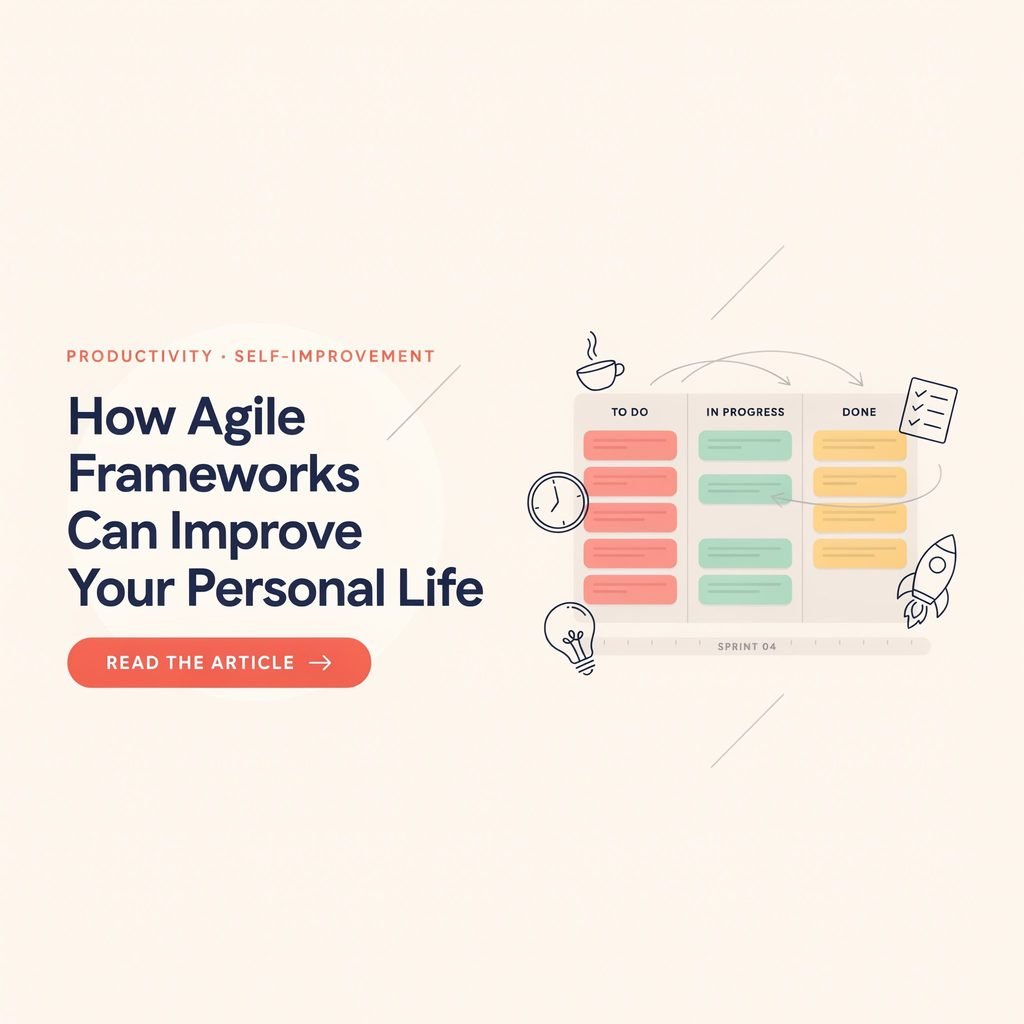
Kanban for personal time management offers a different path. Instead of an endless list, you get a visual snapshot of your work, clear priorities, and built-in limits that protect your focus. This guide walks you through setting up a personal Kanban board step by step—no project management certification required.
What Is Kanban for Personal Time Management?
Kanban originated in the 1940s at Toyota, where engineers used physical cards to signal when parts needed replenishing on the factory floor. The word “Kanban” is Japanese for “visual signal” or “billboard.” The core idea was simple: make work visible so you can manage flow instead of guessing.
Decades later, knowledge workers adapted those principles into digital task boards. But you don’t need a team of fifty to benefit. A personal Kanban board applies the same visual workflow management to your individual responsibilities—job tasks, household errands, personal goals, side projects, and everything in between.
At its core, Kanban time management means three things:
- Visualize your work so nothing hides in the back of your mind.
- Limit work in progress so you finish tasks instead of juggling twelve at once.
- Manage flow so tasks move steadily from “not started” to “done.”
That’s it. No complex software. No rigid methodology. Just a simple personal productivity system you can start in under ten minutes.
Why Use a Personal Kanban Board?
A to-do list tells you what needs doing. A Kanban board shows you where everything stands and what deserves your attention right now. Here’s why that shift matters:
- Reduce overwhelm. Seeing all tasks organized into columns creates a sense of order. You stop carrying mental load because the board holds it for you.
- Improve focus. Work in progress limits (WIP limits) force you to commit to one or two tasks instead of context-switching every ten minutes.
- Prioritize tasks visually. The leftmost items in your “To Do” column are your next actions. No more wondering what to tackle first.
- Track task completion. Moving a card into “Done” gives you a small dopamine hit and a visible record of progress.
- Eliminate bottlenecks. A “Waiting/Blocked” column reveals exactly where tasks are stuck, so you can follow up instead of forgetting.
For anyone searching for a to-do list alternative that supports daily planning without adding complexity, a visual task management board hits the sweet spot.
How to Set Up Your Personal Kanban System
Ready to build your board? Follow these steps:
- Choose your tool. Decide between a physical Kanban board (whiteboard, corkboard, sticky notes) or a digital Kanban board (Trello, Notion, Microsoft Planner, or another Kanban app).
- Create your columns. Start with three to five columns (details below).
- Brainstorm tasks. Write down everything currently on your plate—work, home, personal, recurring tasks.
- Sort tasks into your Backlog. This is your master list of “someday” items.
- Pull a small batch into “To Do.” These are tasks you’ll tackle this week.
- Set your WIP limits. Decide how many items you’ll allow in “In Progress” at once.
- Start working. Pull one task into “In Progress,” finish it, move it to “Done,” repeat.
The entire setup can take fifteen minutes. The real magic happens in the daily and weekly review habits you build around it.
Choose Between a Physical or Digital Kanban Board
Both formats work. The best Kanban system is the one you’ll actually look at every day.
Physical Kanban board: Grab a whiteboard, a section of wall, or a large piece of cardboard. Use sticky notes or index cards as Kanban cards. Draw column headers with a marker. The tactile act of physically moving a card from “In Progress” to “Done” is surprisingly satisfying and keeps the board visible in your workspace.
Digital Kanban board: Apps like Trello (great for a Trello personal Kanban setup), Notion Kanban board templates, Microsoft Planner, Asana, or ClickUp give you drag-and-drop flexibility, due-date reminders, labels, and access from any device. A digital board is especially useful for remote workers who manage tasks across locations or need calendar management integrations.
If you’re unsure, start physical for one week. The simplicity removes software friction. Then migrate to a digital tool if you need notifications or collaboration.
Create Your Kanban Columns
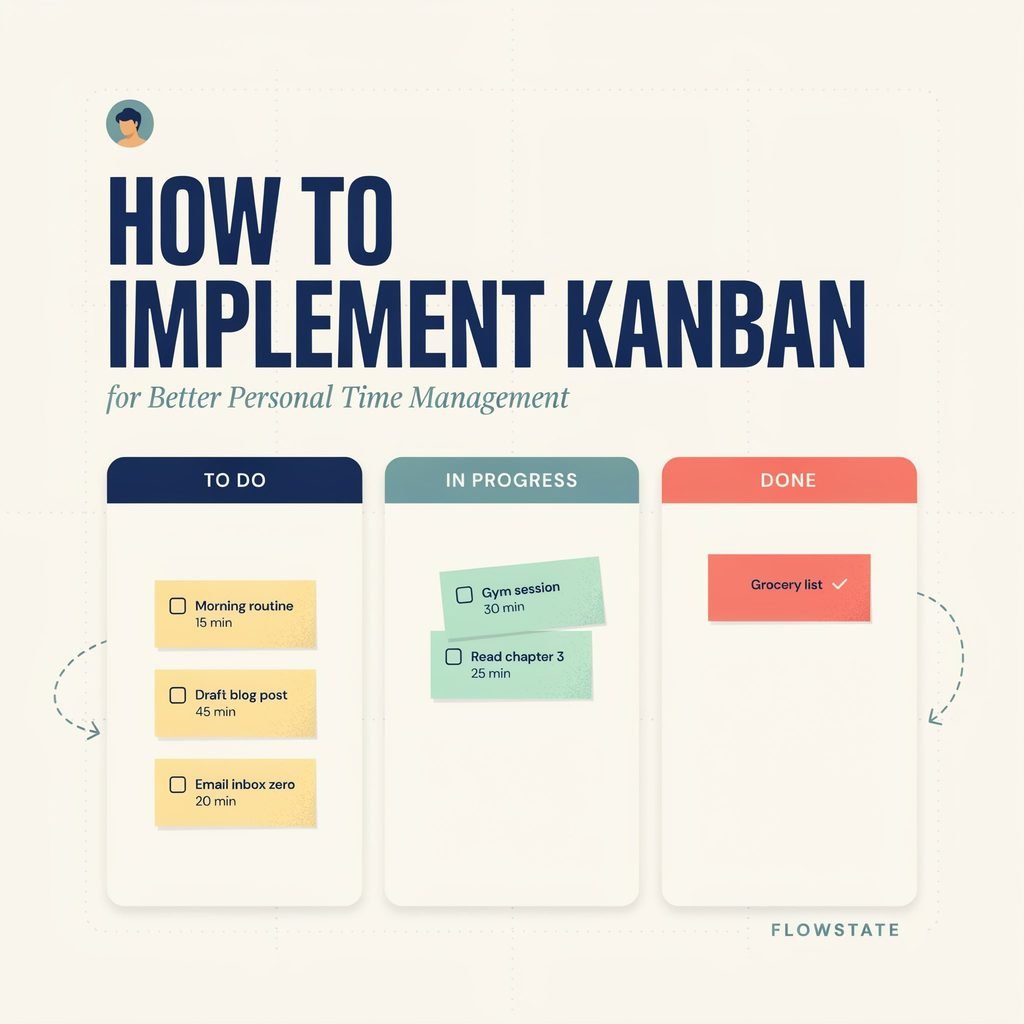
A personal Kanban board typically uses five Kanban columns:
| Column | Purpose |
|---|---|
| Backlog | Every task you’ve captured but haven’t committed to yet. Your “someday” list. |
| To Do | Tasks you’ve selected for the current week or sprint. |
| In Progress | What you’re actively working on right now. Keep this limited. |
| Waiting / Blocked | Tasks stalled because you need input, approval, or an external event. |
| Done | Completed items. Celebrate these. |
You can add a “This Week” column between Backlog and To Do if you like weekly planning separation. Resist the urge to create ten columns. Simplicity keeps your productivity workflow sustainable.
Add Tasks and Build a Backlog
Each Kanban card should contain enough information to act on the task without rethinking it. A useful card includes:
- Task name (specific and action-oriented: “Draft Q3 budget spreadsheet” not “Budget stuff”)
- Deadline (if applicable)
- Priority label (High / Medium / Low, or color-coded stickers)
- Estimated time (e.g., 30 min, 2 hrs)
- Next action (the very first physical step: “Open Excel template and fill rows 1–20”)
For recurring tasks like weekly meal prep or monthly invoice sending, create a card and simply move it back to “To Do” when the cycle repeats.
Your backlog is where you dump ideas without judgment. It keeps your “To Do” column focused and prevents you from overloading your week.
Set Work-in-Progress Limits
WIP limits are the single most powerful feature of Kanban time management. Without them, “In Progress” becomes a second to-do list, and you’re back to juggling.
A realistic starting point:
- In Progress limit: 2–3 tasks. If you’re a freelancer handling client work, maybe three. If you’re a student during exam season, two.
- Waiting/Blocked: no hard limit, but review this column weekly so items don’t rot.
When your “In Progress” column is full, you cannot pull a new task until you finish or park one. This constraint forces task completion, reduces multitasking, and helps you manage workload without burning out.
Think of WIP limits as a promise to yourself: I will finish before I start something new.
Combine Kanban With Time Blocking
Kanban tells you what to work on. Time blocking tells you when. Together, they form a strong productivity planning duo.
Here’s a simple approach:
- Each morning, look at your “In Progress” and “To Do” columns.
- Select one to three tasks for the day.
- Open your calendar and block specific time slots for those tasks (e.g., 9:00–10:30 a.m. for deep work, 4:00–4:30 p.m. for errands).
- Treat those blocks like appointments.
This pairing is especially helpful for deadline management. If a card says “Due Friday,” time blocking ensures you schedule the work before Thursday night panic sets in. It also supports work-life balance by giving household tasks and personal goals their own protected slots instead of letting them compete with work emails.
Review Your Board Daily and Weekly
A Kanban board only works if you look at it. Build two short review habits:
Daily review (5 minutes, morning or end of day):
- Move completed cards to “Done.”
- Check “Waiting/Blocked” for items you can unblock.
- Pull one or two new tasks into “In Progress” if you have capacity.
- Glance at today’s calendar blocks.
Weekly review (15–20 minutes, Sunday evening or Monday morning):
- Scan your Backlog. Promote relevant items to “To Do.” Delete or archive tasks that no longer matter.
- Celebrate the “Done” column. Seriously—look at what you finished.
- Adjust WIP limits if the past week felt too packed or too sparse.
- Plan the coming week’s priorities and time blocks.
These reviews turn your board from a static display into a living productivity workflow.
Personal Kanban Examples for Work and Life
Kanban isn’t just for job tasks. Here’s how different areas of life fit on one board or across multiple boards:
- Work tasks: Client emails, report drafts, meeting prep, project milestones.
- Household errands: Schedule plumber, renew car registration, deep-clean kitchen.
- Personal goals: Read one book per month, complete an online course, update résumé.
- Side projects: Launch a podcast episode, design a portfolio page, write a blog post.
- Fitness and health: Meal prep, gym sessions, annual physical appointment.
- Family planning: Plan weekend activity, book summer camp, coordinate schedules with a partner.
You can use one board with color-coded labels for each life area, or create separate boards (one for work, one for home) if mixing them feels chaotic.
Realistic Example: A Working Professional’s Board
Imagine Sarah, a marketing manager who also handles household tasks, exercises three times a week, and is building a small Etsy shop.
- Backlog: Research SEO keywords for Etsy listings, schedule dentist appointment, plan sister’s birthday dinner, update LinkedIn profile.
- To Do (this week): Write blog post draft, buy groceries, 3 gym sessions, photograph two Etsy products.
- In Progress (limit: 2): Write blog post draft (due Wednesday), photograph two Etsy products (Saturday morning block).
- Waiting/Blocked: Blog post images (waiting on designer), car inspection (waiting on shop availability).
- Done: Submitted monthly report, renewed gym membership, cleaned garage.
Sarah reviews her board each morning with coffee and does a longer review every Sunday evening. The board keeps her job tasks, errands, fitness, and side project visible without scattering them across four different apps.
Common Personal Kanban Mistakes to Avoid
- Too many columns. Eight columns become confusing. Stick to three to five.
- Overloading the board. Dumping sixty tasks into “To Do” defeats the purpose. Keep “To Do” to a manageable weekly batch and let the Backlog hold the rest.
- Ignoring blocked tasks. If a card sits in “Waiting” for two weeks, follow up or decide to drop it.
- Treating Kanban as a rigid rulebook. Personal Kanban should adapt to your life. If a column isn’t useful, remove it. If you need a “Someday/Maybe” column, add it.
- Skipping reviews. A board you never look at is decoration. The five-minute daily check is non-negotiable.
- Perfectionism in setup. Spending three hours color-coding labels before moving a single task is procrastination disguised as productivity planning.
Physical vs. Digital Kanban Board
| Feature | Physical Board | Digital Board |
|---|---|---|
| Setup cost | Low (sticky notes, whiteboard) | Free tiers available (Trello, Notion) |
| Visibility | Always in your line of sight | Requires opening an app or browser tab |
| Reminders & alerts | None | Built-in due-date notifications |
| Portability | Fixed location | Access from phone, tablet, laptop |
| Tactile satisfaction | High (physically moving cards) | Moderate (drag-and-drop) |
| Collaboration | Difficult | Easy sharing with partner or team |
| Customization | Limited to physical space | Labels, filters, attachments, automations |
| Best for | Single-location users who want simplicity | Remote workers, multi-device users, complex task tracking |
Neither option is superior. Choose based on your environment and how you naturally interact with information.
FAQ
What is Kanban for personal time management?
Kanban for personal time management is a visual task management method where you organize individual responsibilities on a board with columns representing stages of progress. It helps you prioritize tasks, limit multitasking, and track task completion without relying on a long, unstructured list.
How many tasks should I have in “In Progress” at once?
For most individuals, two to three tasks is a practical WIP limit. This keeps your focus sharp and prevents the scattered attention that comes from juggling too many items. Adjust up or down based on task complexity.
Can I use Kanban for both work and personal life?
Absolutely. Many people use a single board with color-coded labels for work, home, fitness, and personal goals. Others prefer separate boards. The key is choosing a structure you’ll review consistently.
What’s the best Kanban app for beginners?
Trello is a popular starting point because its free tier supports unlimited cards and simple drag-and-drop boards. Notion offers more flexibility if you also want notes and databases. Microsoft Planner works well if you’re already in the Microsoft 365 ecosystem.
How is Kanban different from a to-do list?
A to-do list is a flat collection of items with no inherent sense of progress or capacity. A Kanban board visualizes workflow, enforces limits on active work, and makes bottlenecks visible. It functions more as a productivity workflow than a static checklist.
Conclusion: Start Small, Stay Consistent
You don’t need a perfect system. You don’t need fifteen columns, color-coded sub-labels, and an automation workflow before you move your first sticky note.
The most effective personal Kanban board is the one you actually use. Start today with three columns—To Do, In Progress, and Done—and a handful of tasks. Write each task on a card. Pick one. Work on it. Move it to “Done.” Feel the small satisfaction of visible progress.
Over the following weeks, add a Backlog, introduce WIP limits, pair your board with time blocking, and build the daily and weekly review habits that keep your productivity workflow humming. Adjust the system as your life changes. Drop what doesn’t serve you. Keep what does.
Kanban won’t eliminate a demanding job, a busy household, or ambitious personal goals. But it will give you a calm, visual way to organize daily tasks, reduce overwhelm, and make steady progress on what matters—without drowning in an ever-growing list.
Grab a stack of sticky notes or open a free Trello board right now. Three columns. Five tasks. That’s all you need to begin.