You open your laptop Monday morning to 47 unread emails, three meeting invites, a Slack thread that needs your input, and a to-do list that grew over the weekend. By noon, you’ve been “busy” for five hours but haven’t touched the project that actually matters.
Sound familiar?
For busy professionals, entrepreneurs, remote workers, students, and managers juggling endless obligations, the traditional to-do list has become a source of stress rather than clarity. The solution isn’t adding more items. It’s deciding what to stop doing.
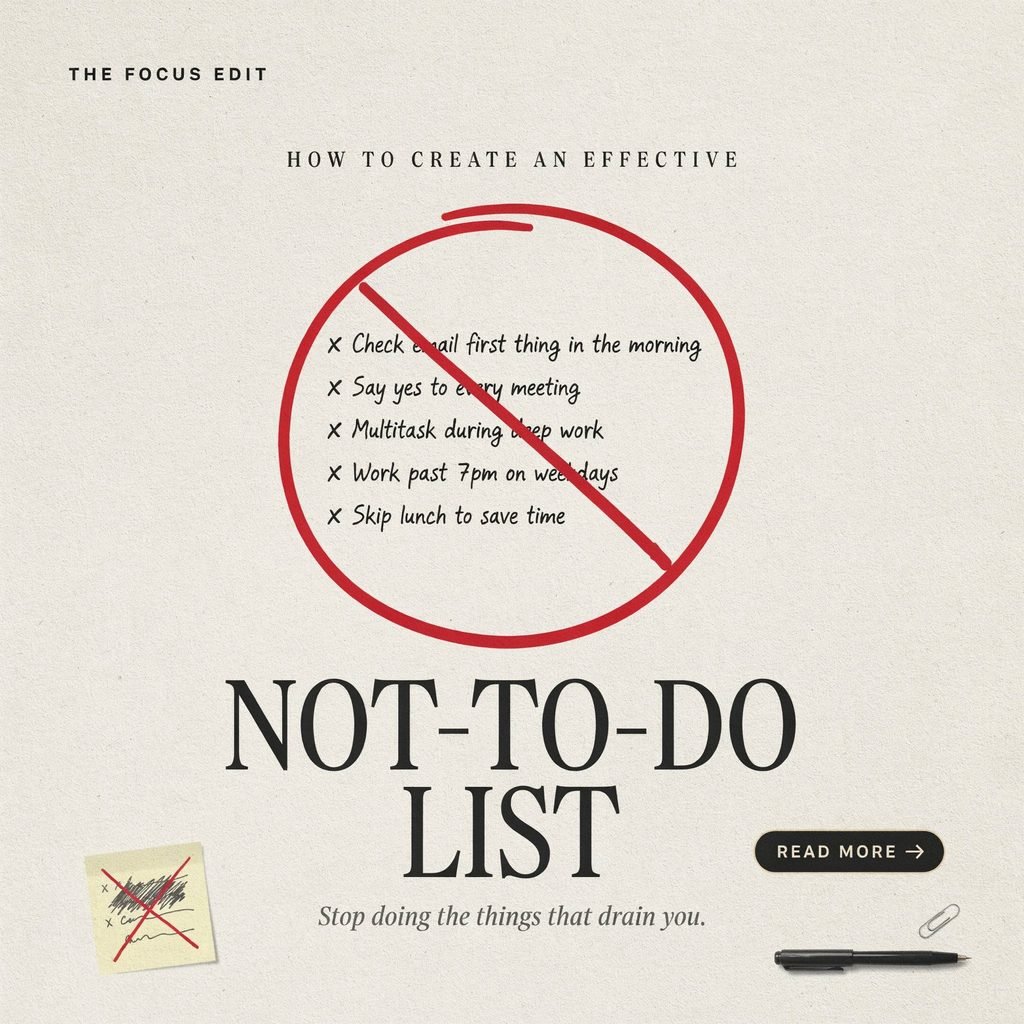
A not-to-do list is a deliberate productivity strategy that names the tasks, habits, commitments, and distractions you will intentionally avoid. It isn’t about shirking responsibility. It’s about protecting your attention so you can prioritize what matters, reduce stress, and avoid burnout.
This guide walks you through exactly how to build one, with practical steps, real examples, and phrasing tips you can apply today.
What Is a Not-To-Do List, and How Does It Differ From a To-Do List?
A traditional to-do list tells you what to accomplish. A not-to-do list tells you what to stop, delegate, decline, or eliminate.
Think of it this way:
- To-do list: “Finish the quarterly report, reply to 20 emails, attend the 2 p.m. sync.”
- Not-to-do list: “Do not check email before 10 a.m. Do not attend meetings without a written agenda. Do not say yes to projects that don’t align with this quarter’s goals.”
An effective to-do list focuses on action. A not-to-do list focuses on elimination. Together, they form a complete task management system. One directs your energy; the other guards it.
Why You Need a Not-To-Do List Right Now
American workers face an unprecedented volume of demands. The average professional checks email 121 times per day, sits through 62 meetings per month, and toggles between apps every few minutes. Digital distractions, meeting overload, and constant notifications fragment attention into unusable slivers.
The result? Decision fatigue, shallow work, and a creeping sense that you’re always behind.
A not-to-do list counters this chaos by giving you pre-made decisions. Instead of evaluating every request in the moment—when willpower is lowest—you’ve already decided. That meeting without an agenda? You decline. That social media scroll at 3 p.m.? You’ve already planned a walk instead. You eliminate distractions before they hijack your day.
For anyone practicing intentional living, this list is as essential as goal setting itself.
The Benefits of a Well-Crafted Not-To-Do List
When you commit to a focused not-to-do list, the improvements compound quickly:
- Improved focus and productivity. Fewer context switches mean deeper concentration on high-priority tasks.
- Better time management. You reclaim hours lost to time-wasting activities and low-value tasks.
- Less decision fatigue. Pre-set boundaries remove the mental toll of constant “should I or shouldn’t I?” questions.
- Stronger boundaries. Saying no becomes easier when it’s written down and non-negotiable.
- Reduced stress. Knowing what you will not do shrinks the mental load that fuels anxiety.
- More time for deep work. Protected blocks let you tackle complex projects without interruption.
- Healthier work-life balance. Guarding personal time prevents work from bleeding into evenings and weekends.
These aren’t abstract perks. They’re measurable shifts in how your workday planning unfolds.
How to Identify What Belongs on Your List
Before writing a single “do not” statement, audit your current reality. Ask yourself:
- Which tasks leave me feeling drained without moving my goals forward?
- What do I do out of habit rather than necessity?
- Which commitments did I accept out of guilt or obligation?
- Where do I lose 15, 30, or 60 minutes without realizing it?
- What would I stop doing tomorrow if no one would be upset?
Common culprits include unnecessary commitments, social media distractions, reflexive email checking, meetings you could skip, and perfectionism on low-stakes deliverables.
Step-by-Step: How to Create Your Not-To-Do List
1. Review Your Calendar and Current To-Do List
Open the past two weeks of your calendar. Highlight anything that felt pointless, redundant, or draining. Do the same with your to-do list. Flag items that recur every week but add little value.
2. Track Where Your Time Goes
For three to five days, log your activities in 15-minute increments. You can use a simple spreadsheet, a time-tracking app, or pen and paper. The goal is data, not judgment.
3. Identify Low-Value and Repetitive Tasks
Look for patterns. Are you formatting reports no one reads? Attending status meetings that could be a one-line email? Manually entering data that a productivity tool could automate? These are prime not-to-do candidates.
4. Separate Urgent Tasks From Important Tasks
Not everything urgent is important. Use the Eisenhower Matrix: if a task is urgent but not important, delegate or eliminate it. Your not-to-do list protects time for important-but-not-urgent work like strategic planning, skill-building, and deep work.
5. Notice Energy-Draining Habits and Distractions
Maybe it’s the 45-minute “quick” scroll through LinkedIn. Maybe it’s agreeing to “hop on a call” that could have been an email. Name these honestly.
6. Set Boundaries Around Communication, Meetings, and Availability
Decide your non-negotiables. Examples: no meetings before 10 a.m.; no Slack responses during focus blocks; no work email after 7 p.m. Write them down.
7. Write Specific “Do Not” Statements
Vague entries fail. “Be less distracted” won’t change behavior. “Do not open Twitter between 9 a.m. and 12 p.m.” will.
8. Review and Update the List Regularly
Schedule a weekly review—15 minutes every Friday afternoon works well. Remove items that are no longer relevant. Add new ones as responsibilities shift. Your not-to-do list is a living document, not a one-time exercise.
Examples of Not-To-Do List Items
Here are concrete items organized by category:
Work & Meetings
- Do not accept meeting invites without a stated agenda and objective.
- Do not volunteer for projects outside my role without checking capacity first.
- Do not schedule internal meetings that could be resolved with a shared document.
Email Management
- Do not check email before completing the day’s top-priority task.
- Do not reply to non-urgent emails outside designated email windows (10 a.m. and 4 p.m.).
- Do not use “Reply All” unless every recipient needs the information.
Digital Habits & Social Media
- Do not open social media during work hours unless it’s part of a scheduled task.
- Do not keep phone notifications on during deep work blocks.
- Do not browse news sites as a “break”; take a real break instead.
Home Life & Personal Productivity
- Do not agree to weekend obligations before protecting one full rest morning.
- Do not multitask during meals or family time.
- Do not say yes to favors that create resentment.
Remote Work Productivity
- Do not work from the couch “just for a few minutes”; use a dedicated workspace.
- Do not let Slack status remain “active” during off-hours.
- Do not skip lunch to finish one more task.
How to Phrase List Items Effectively
The language you use determines whether the list actually changes behavior. Follow these principles:
- Be specific. Replace “Stop wasting time” with “Do not watch YouTube videos during the 1–3 p.m. work block.”
- Anchor to a trigger. “Do not check email before completing the day’s top-priority task” ties the rule to an existing habit.
- Keep it realistic. “Never check email” will fail by Tuesday. “Do not check email more than three times before noon” is sustainable.
- Use “do not” or “I will not” language. It’s clearer than “try to avoid” or “limit.”
- Add a positive alternative when helpful. “Do not scroll Instagram at lunch; take a 10-minute walk outside instead.”
Avoiding Over-Restriction and Procrastination Traps
A not-to-do list should free you, not cage you. Watch for two failure modes:
Over-restriction. If your list has 30 items, it becomes another source of guilt. Start with five to eight entries. You can always add more after a monthly review.
Procrastination disguised as boundaries. “I don’t do admin work” isn’t a boundary if invoices go unpaid. The list eliminates low-value tasks, not necessary ones. If a task is unpleasant but essential, keep it on your to-do list and time-block it.
A good test: Does this item protect meaningful work, or does it help me avoid something uncomfortable? Only the former belongs.
Tools That Support Your Not-To-Do List
Pair your list with practical productivity tools:
- Calendar management: Color-code focus blocks, meeting windows, and off-limits hours in Google Calendar or Outlook.
- Task-management apps: Use Todoist, Asana, or ClickUp to park delegated tasks so they’re off your mental plate.
- Time blocking: Assign specific hours to deep work, email, and admin so nothing bleeds into protected time.
- Focus mode: Enable Do Not Disturb on your phone and computer during deep work sessions.
- Notification settings: Turn off non-essential app notifications. Batch Slack and email alerts.
- Weekly review: Every Friday, spend 15 minutes checking whether your list still reflects your daily priorities.
These tools make your boundaries automatic rather than reliant on willpower.
Sample Not-To-Do List for a Busy US Professional
Last updated: [This month]
- Do not check email or Slack before 9:30 a.m. First 90 minutes belong to deep work.
- Do not attend meetings without a written agenda. Politely decline or request one.
- Do not say yes to new commitments in the moment. Say, “Let me check my calendar and get back to you by tomorrow.”
- Do not open social media apps between 8 a.m. and 6 p.m. on weekdays.
- Do not schedule meetings between 12–1 p.m. (lunch) or after 5 p.m.
- Do not work past 6:30 p.m. more than twice per week.
- Do not multitask during client calls or team presentations.
- Do not take on tasks a team member can handle with 10 minutes of guidance.
- Do not check work email on weekends unless there is a pre-defined emergency.
- Do not start the day without identifying the top three daily priorities.
Print it. Tape it beside your monitor. Share it with your team if it helps set expectations.
Frequently Asked Questions
What should be on a not-to-do list?
Anything that consistently steals time, energy, or attention without contributing to your goals: unnecessary meetings, reflexive email checking, social media distractions, perfectionism on low-stakes work, and commitments accepted out of obligation rather than alignment.
How many items should a not-to-do list include?
Start with five to eight items. Fewer than five may not create meaningful change; more than ten becomes overwhelming and hard to remember. Expand gradually as old items become automatic habits.
Is a not-to-do list better than a to-do list?
Neither replaces the other. A to-do list directs action; a not-to-do list protects the time and focus needed to complete that action. Used together, they form a complete personal productivity system.
How often should you update a not-to-do list?
Review it during a weekly review (15 minutes) and do a deeper revision monthly or whenever your role, schedule, or priorities shift significantly.
Can teams use a not-to-do list?
Absolutely. Teams can establish shared norms—no meetings on Wednesdays, no Slack messages after 6 p.m., no status updates that could be async documents. This reduces meeting overload and improves workplace productivity for everyone.
Conclusion: Choose What Not to Do
You cannot do everything. No amount of productivity tips, apps, or hustle culture mantras changes that fact. What you can do is choose, deliberately and in advance, what you will not do.
A not-to-do list isn’t a restriction. It’s permission—permission to close the laptop, decline the meeting, silence the notification, and invest your finite hours in high-priority tasks that actually move your work and life forward.
Start small. Pick three items this week. Write them down. Honor them. Then add more.
Your time is the one resource you can’t earn back. Guard it with the same intention you bring to your most important project. Because in the end, productivity isn’t about doing more. It’s about doing what matters—and having the clarity to let the rest go.