You sit down at your desk with a to-do list that stretches halfway down the page. Slack pings light up your screen. A meeting invite lands for 2:00 p.m. You switch between email, a project doc, and a quick “hey, got a minute?” request from a coworker. By 5:00 p.m., you feel exhausted—but the three priority tasks you actually needed to finish are still sitting there, untouched.
Sound familiar? You are not alone. Professionals, students, freelancers, and remote workers across the country face the same daily tug-of-war between competing priorities and limited hours.
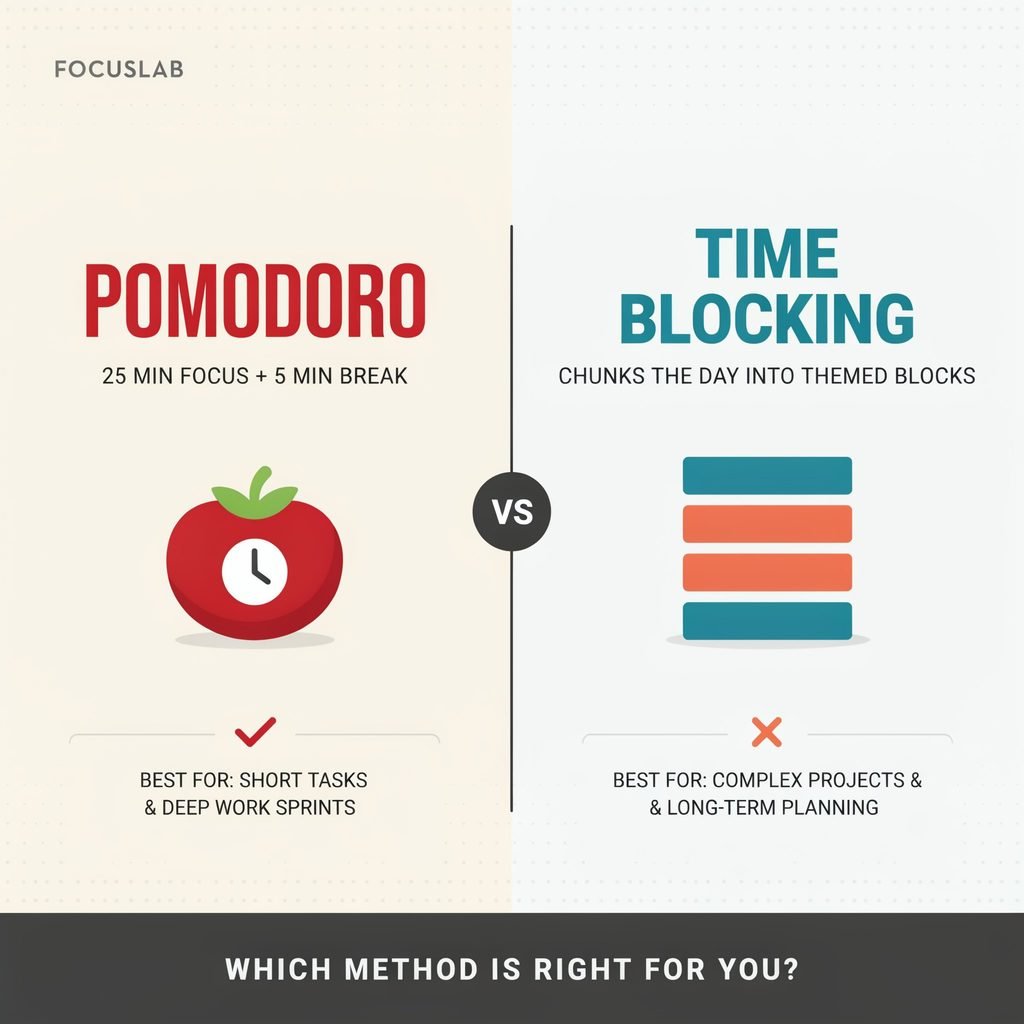
Two of the most popular productivity techniques designed to solve this problem are the Pomodoro Technique and time blocking. Pomodoro breaks work into short, focused intervals with planned breaks. Time blocking assigns specific tasks or categories of work to designated periods on your calendar.
So, Pomodoro vs. time blocking—which one should you choose? The honest answer: neither method is universally better. The right pick depends on your job, daily schedule, energy levels, type of work, and how much control you have over interruptions. This guide walks you through both so you can decide with confidence.
What Is the Pomodoro Technique?
The Pomodoro Technique, created by Francesco Cirillo in the late 1980s, is a focus-management method built around timed intervals. Here is the classic workflow:
- Choose one task. Pick a single item from your to-do list.
- Work for 25 minutes. Set a Pomodoro timer and focus on that task without checking your phone, email, or social media.
- Take a 5-minute break. Step away from the screen, stretch, grab water.
- Repeat the cycle. Start another 25-minute session on the same task or move to the next one.
- Take a longer break. After four Pomodoro sessions (roughly two hours), rest for 15 to 30 minutes.
Why does it work? The 25-minute window makes intimidating tasks feel manageable. You are not committing to “write the whole report”—you are committing to 25 minutes of writing. That lower barrier reduces procrastination and makes it easier to get started. Built-in breaks help you maintain concentration across the day, and tracking completed sessions gives you a clearer picture of how long work actually takes.
You do not have to stick with 25/5. Many people prefer 50 minutes of focus followed by a 10-minute break, especially for tasks that require deeper concentration like coding or research. Adjust the timing to fit your attention span and the type of work in front of you.
What Is Time Blocking?
Time blocking is a calendar-planning strategy. Instead of working from an open-ended to-do list, you reserve specific blocks of time on your digital calendar—Google Calendar, Outlook, or even a paper planner—for specific tasks, meetings, or categories of work.
Common forms of time blocking include:
- Task-based blocks: “Write the Q3 proposal, 9:00–10:30 a.m.”
- Theme days: Tuesdays for marketing, Thursdays for client calls.
- Deep-work blocks: Two or three uninterrupted hours for complex projects.
- Meeting blocks: Grouping all meetings into one afternoon window.
- Administrative blocks: Batching email, invoicing, and filing.
- Personal time blocks: Exercise, school pickup, dinner with family.
- Buffer time: Open slots for unexpected requests or tasks that run long.
Here is what a typical weekday might look like for a US-based remote marketing freelancer:
- 7:00–7:45 a.m.: Morning exercise and breakfast
- 8:00–8:30 a.m.: Email triage and daily planning routine
- 8:30–10:30 a.m.: Deep-work block—write client blog post
- 10:30–10:45 a.m.: Break
- 10:45–11:45 a.m.: Client Zoom meeting
- 11:45 a.m.–12:30 p.m.: Administrative tasks—invoices, scheduling
- 12:30–1:15 p.m.: Lunch and walk
- 1:15–3:00 p.m.: Design revisions and project work
- 3:00–3:30 p.m.: Buffer time / follow-up emails
- 3:30–4:00 p.m.: Plan tomorrow’s schedule
- 4:00 p.m.: Family time / log off
The key difference between time blocking and a standard to-do list is that blocking assigns every task a realistic time and place. Your calendar becomes the plan, not just a list of wishes.
[Internal link: Best Time Management Apps for Work]
Pomodoro vs. Time Blocking: Key Differences
| Factor | Pomodoro Technique | Time Blocking |
|---|---|---|
| Main purpose | Improve short-term focus | Plan and protect time |
| Structure | Timed work-and-break intervals | Calendar-based work periods |
| Best for | Procrastination and distraction | Busy schedules and competing priorities |
| Planning required | Low | Moderate to high |
| Flexibility | High during the day | Requires calendar adjustments |
| Breaks | Built into every cycle | Must be scheduled intentionally |
| Ideal task type | Small to medium focused tasks | Projects, meetings, routines, priorities |
| Helpful tools | Timer or Pomodoro app | Digital or paper calendar |
The simplest way to frame it: Pomodoro is a focus-management technique. Time blocking is a time-planning technique. One governs how you concentrate in the moment; the other governs how your day is structured on paper.
Benefits of the Pomodoro Technique
- Easier task initiation. Twenty-five minutes feels doable, so you stop stalling.
- Better concentration. A visible timer discourages context switching.
- Less urge to multitask. You commit to one task per session.
- Built-in rest periods. Short breaks keep your energy steadier.
- Sense of progress. Tallying completed Pomodoros gives tangible momentum.
- Versatile applications. Works for writing, studying, coding, admin work, and routine office tasks.
Example: Maya, a freelance writer in Denver, needs to deliver a 2,000-word article by Friday. She uses four Pomodoro sessions: Session 1—outline the piece. Session 2—research and gather sources. Session 3—draft the body. Session 4—revise and polish. Four focused bursts, four small wins, one finished article.
Limitations of the Pomodoro Technique
- The 25-minute interval can interrupt creative flow or deep work just as you hit your stride.
- Frequent breaks may feel awkward in open offices or during collaborative projects.
- Meetings, urgent messages, or a manager’s quick question can derail a session.
- Pomodoro does not help you plan a complex week or juggle multiple deadlines.
- Some tasks—long-form writing, data analysis, strategic thinking—need longer uninterrupted work time.
Remember: 25/5 is a starting point, not a rigid rule. Stretch or shorten intervals to match the task.
Benefits of Time Blocking
- Creates a realistic daily plan. You see exactly what fits into available hours.
- Protects deep work. A blocked calendar signals to coworkers that you are unavailable.
- Reveals workload truth. If everything does not fit, you know before the day starts.
- Makes priorities visible. Priority tasks get prime slots, not leftover minutes.
- Reduces decision fatigue. You follow the calendar instead of deciding what to do next.
- Supports work-life balance. Personal commitments get their own protected blocks.
- Stops reactive work. Batching email into set windows prevents all-day inbox scrolling.
Example: Marcus runs a small accounting firm in Atlanta. He blocks 8:00–11:00 a.m. for strategic work—tax planning, process improvements. From 11:00 a.m. to 2:00 p.m., he handles client calls and reviews. Late afternoon (2:00–4:00 p.m.) is reserved for operations: payroll, vendor emails, and follow-up. The structure keeps him from spending mornings putting out small fires at the expense of big-picture growth.
Limitations of Time Blocking
- It can feel rigid if your schedule changes hourly.
- It requires regular planning and calendar maintenance—a daily planning routine.
- Tasks that run long can create frustration and a domino effect.
- People in highly reactive roles—customer support agents, nurses, retail managers, urgent client service—may find strict blocks impractical.
- Overbooking every minute eliminates flexibility and increases stress.
The fix: add buffer blocks (15–30 minutes between major tasks), leave white space in the calendar, and review your schedule each morning. Time blocking should serve you, not trap you.
Who Should Use Pomodoro?
Pomodoro tends to shine for:
- People who procrastinate on large or unpleasant tasks
- Students and exam-prep learners
- Writers, designers, and knowledge workers who need a simple starting structure
- Remote workers battling online distractions
- Anyone building a new focus habit from scratch
- People who feel overwhelmed by big projects
Quick self-assessment. You may prefer Pomodoro if you often think:
- “I do not know where to start.”
- “I keep checking my phone.”
- “I can focus once I finally begin.”
[Internal link: How to Stop Procrastinating at Work]
Who Should Use Time Blocking?
Time blocking tends to shine for:
- Managers and entrepreneurs juggling multiple responsibilities
- Freelancers balancing several clients
- Parents managing work and home commitments
- Professionals with recurring meetings
- Anyone who needs to protect uninterrupted work time
- People who regularly finish easy tasks but never touch important ones
Quick self-assessment. You may prefer time blocking if you often think:
- “My day gets away from me.”
- “Meetings take over my schedule.”
- “I finish easy tasks but not important tasks.”
Can You Combine Pomodoro and Time Blocking?
Absolutely—and many productive professionals do. The two methods solve different problems, so pairing them creates a powerful productivity system.
Hybrid example:
- 9:00–11:00 a.m.: Time-blocked deep-work window for a project report.
- Inside that window, run four 25-minute Pomodoro sessions with 5-minute breaks.
- 11:00–11:20 a.m.: Buffer block for edits, follow-up questions, or tasks that ran long.
- 1:00–1:30 p.m.: Separate time block for email and team messages.
Time blocking determines when work happens. Pomodoro determines how you stay focused during that time. Together, they handle both planning and distraction.
How to Choose the Right Method
Use this quick decision framework:
- Type of work: Repetitive or task-based? Lean Pomodoro. Multi-project, meeting-heavy? Lean time blocking.
- Number of meetings: Few meetings = flexible Pomodoro. Many meetings = time blocking to protect focus windows.
- Control over schedule: High control = either works. Low control = Pomodoro’s flexibility may fit better.
- Attention span: Short or easily broken? Pomodoro builds it gradually. Naturally long? Time blocking preserves it.
- Need for breaks: Pomodoro bakes them in. Time blocking requires you to schedule them.
- Number of projects: One or two? Pomodoro. Five or more? Time blocking keeps them organized.
- Interruptions: Frequent? Pomodoro is easier to restart. Rare? Time blocking maximizes flow.
- Preference: Crave structure? Time blocking. Crave simplicity? Pomodoro.
Bottom line:
- Focus and procrastination are the main problem → start with Pomodoro.
- Planning and task prioritization are the main problem → start with time blocking.
- Both are problems → use the hybrid approach.
Getting Started Today
- Identify your biggest productivity problem. Is it distraction, procrastination, lack of planning, or overcommitment?
- Try one method for one full workweek before judging it. Give the system a fair shot.
- Track what worked and what caused friction. A simple note at day’s end is enough.
- Adjust timing or calendar blocks to match your real work patterns—not an idealized version of your day.
- Keep the system simple. If it takes 30 minutes to set up, you will not repeat it. A focus timer and a Google Calendar can be all you need.
FAQ
Is Pomodoro better than time blocking?
No. They serve different purposes. Pomodoro improves moment-to-moment focus; time blocking structures your day. The best method is the one that matches your primary struggle.
How long should a Pomodoro session be?
The classic length is 25 minutes, but 30, 45, or 50 minutes work well for tasks that require deeper concentration. Pair work intervals with 5- to 10-minute breaks.
Can I use time blocking if my schedule changes every day?
Yes. Use broader blocks (e.g., “client work” instead of a specific task), build in generous buffer time, and re-plan each morning. Flexibility within structure is the goal.
What is the best app for Pomodoro and time blocking?
Popular options include Focus Keeper and Forest for Pomodoro timers, and Google Calendar, Outlook, or Todoist for calendar blocking. Choose whichever feels simplest to maintain.
Can I use Pomodoro for deep work?
Yes, but consider extending sessions to 45–60 minutes so the timer does not pull you out of a productive flow state. Pair longer Pomodoros with slightly longer breaks.
How much buffer time should I include in a time-blocked schedule?
Aim for 10–20 percent of your workday as open buffer. For an eight-hour day, that is roughly 45–90 minutes spread between major blocks to absorb overruns and surprises.
Conclusion
Pomodoro vs. time blocking is not a winner-take-all contest. One method sharpens your focus in the moment; the other gives your day a clear, realistic shape. The best productivity method is the one you will actually use—consistently, without guilt, and without overcomplicating your workday.
Productivity is not about filling every minute. It is about spending your limited hours deliberately, on the work that matters, while still leaving room for rest, family, and the unexpected.
Pick one approach—Pomodoro, time blocking, or a combined system—and test it for a single workweek. Track what helps, what frustrates, and what you would change. Then refine. Your ideal work schedule is not something you find; it is something you build, one focused session and one calendar block at a time.
Start today. Set the timer, open the calendar, and take back your day.